peko / studio
Everything Peko does, in one window.
Studio installs the SDK, sets up or converts your project, and builds and signs it for every platform. It designs the icon and keeps your coding agent in the loop, without leaving the window.
New to Peko? Follow the quick-start guide// one window
Install, create, build, sign, ship.
The whole Peko pipeline, in the order you actually work through it. Nothing here needs a second tool, a scratch terminal, or a build system you have to learn first.
- 01
install
Studio provisions the Peko SDK, the toolchain, and the package registry on first launch. No terminal, no PATH, no version pinning.
- 02
create or convert
Start a new project, or point Studio at an app you already shipped (SSG, SSR, or Peko UI). It writes the peko.toml and wires the native shell.
- 03
configure
Bundle identifier, capabilities, target platforms, and dependencies, edited as fields rather than TOML you have to remember.
- 04
build & run
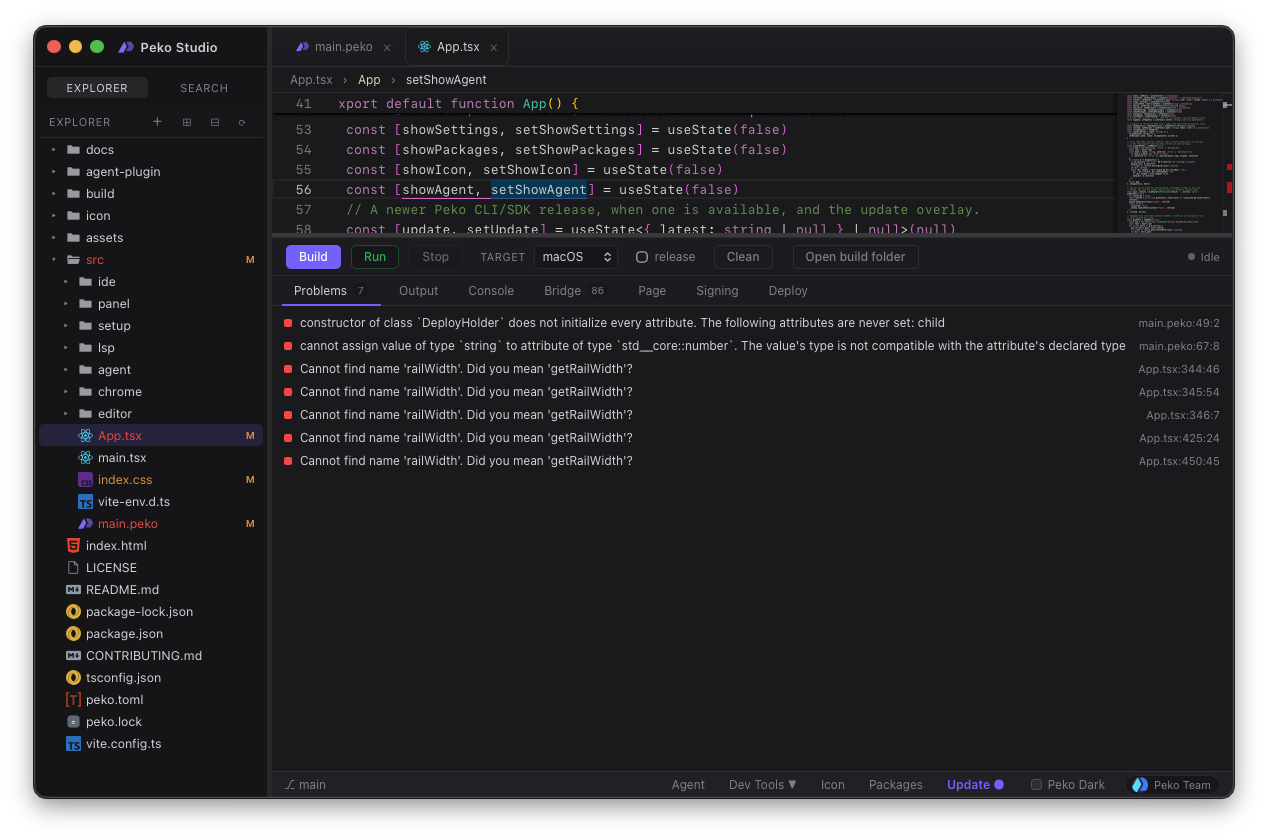
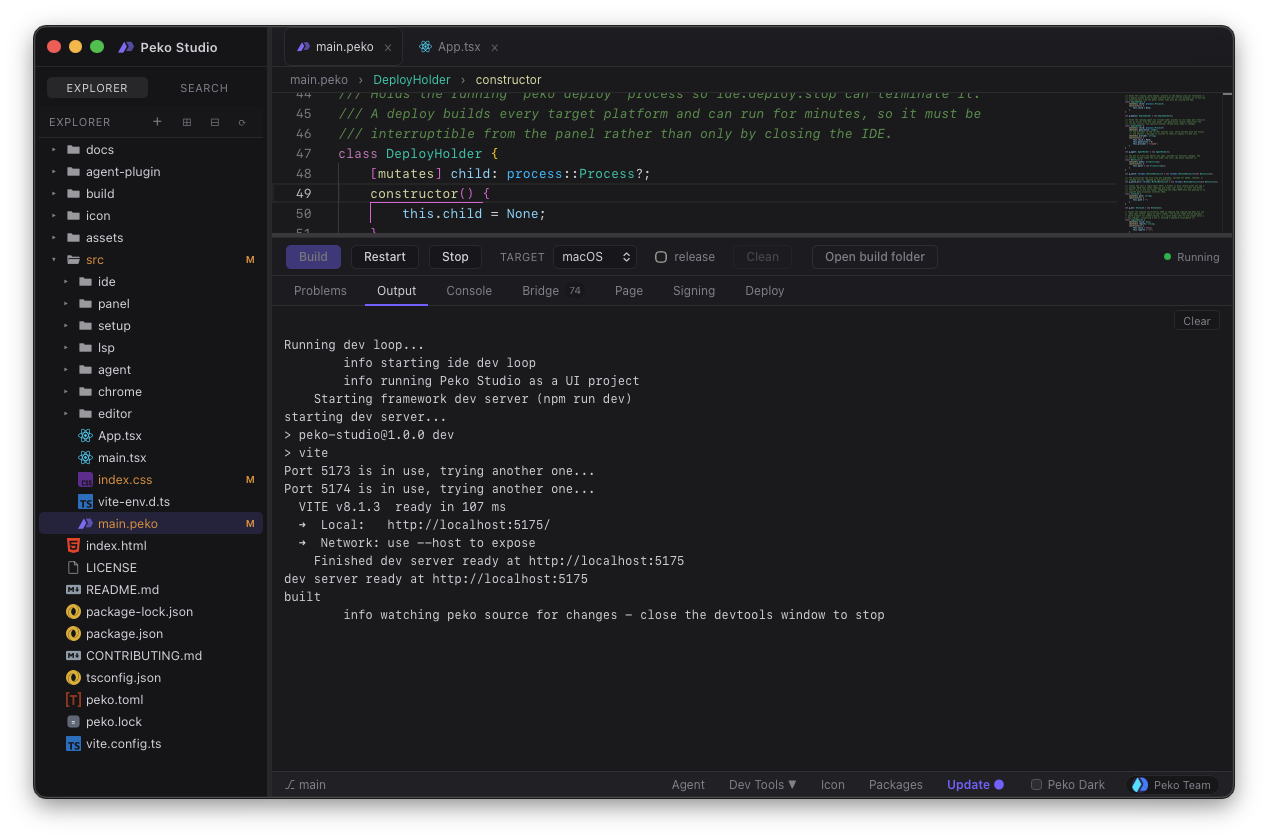
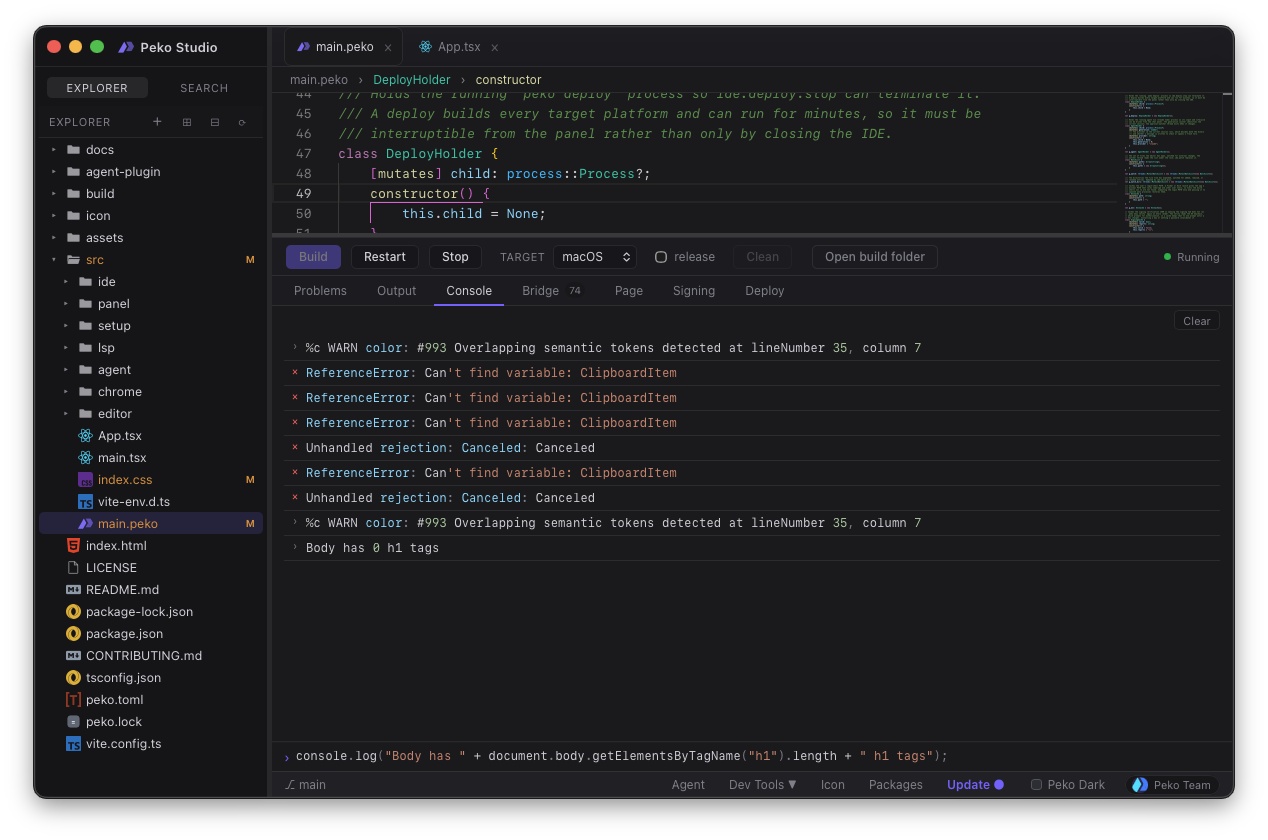
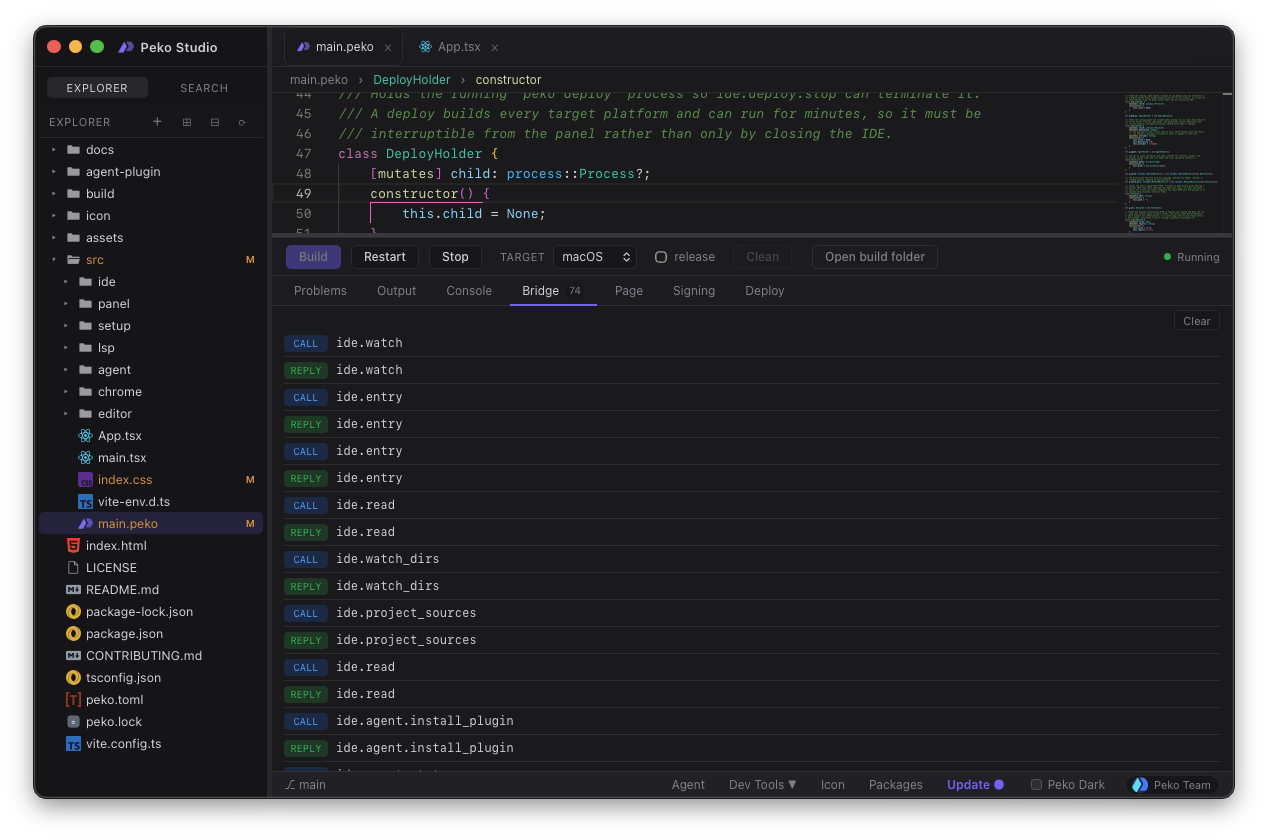
Compile and launch a live dev loop against any target. Diagnostics, console, and the native bridge are docked below the editor.
- 05
sign
Signing keys are managed in the panel. Release builds come out signed, so the app is actually shippable.
- 06
ship
One signed artifact per target: macOS, Windows, Linux, iOS, Android. Same window.
Studio targets macOS, Windows, and Linux. The apps you build with it reach all five platforms.
// build & run
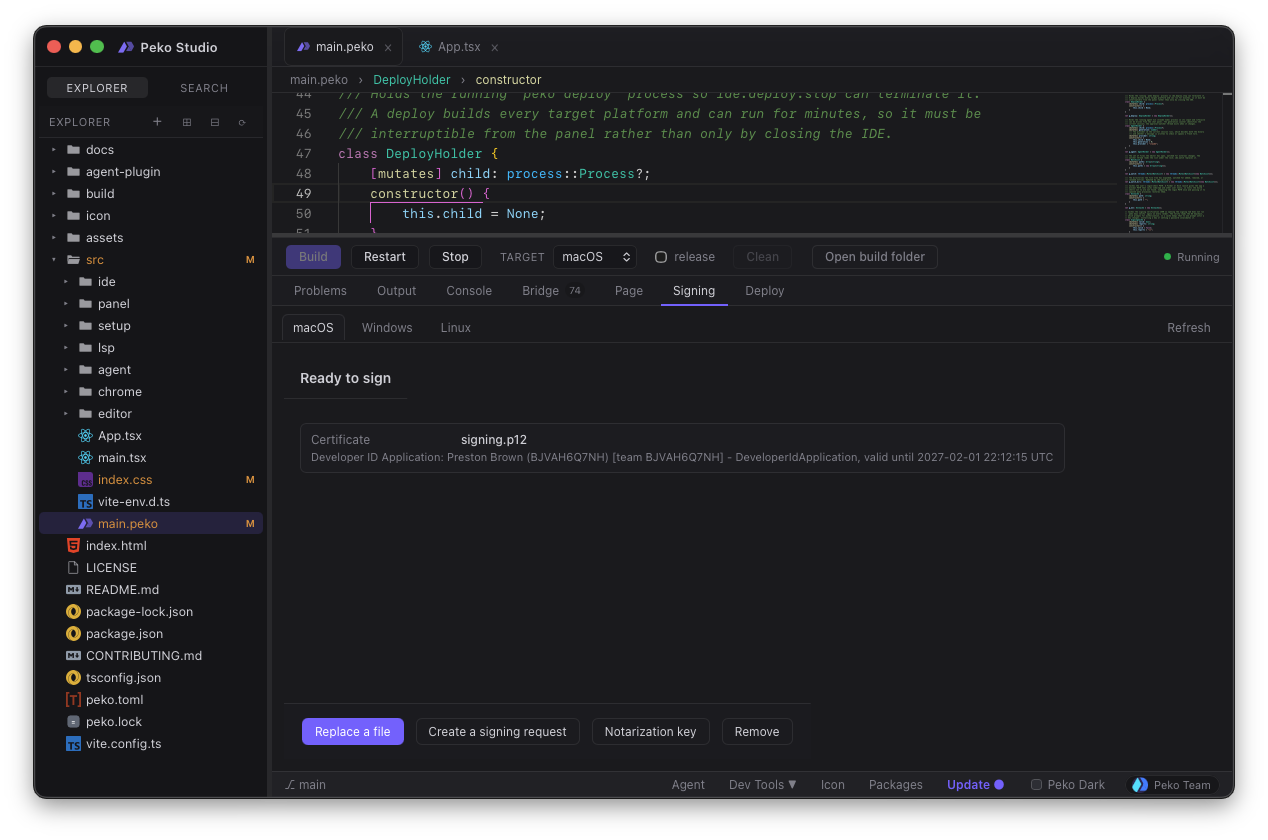
The devtools, docked to the editor.
Studio ports the whole peko run experience into the IDE: diagnostics, the JS
console, the native bridge inspector, route history. It adds the build controls that used
to live in your shell: platform selection, release builds, and signing keys.
// icons
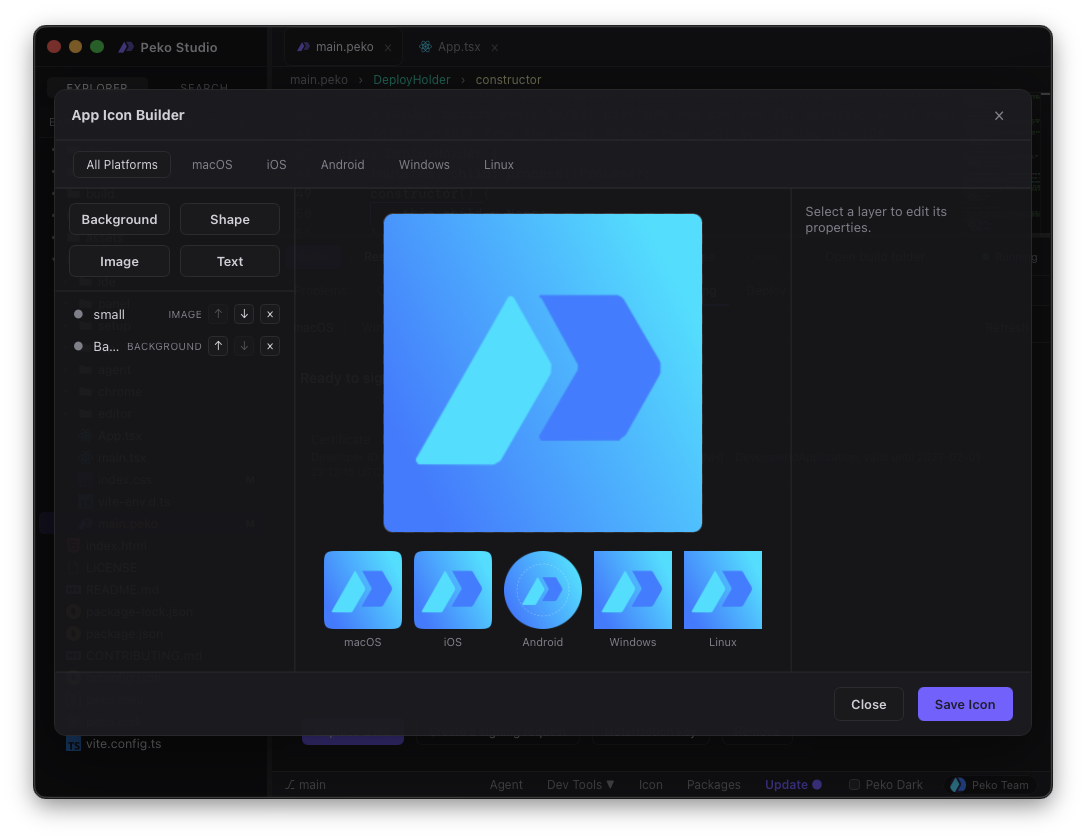
Design the icon where you build the app.
Studio's icon builder saves a .pekoicon project alongside your source, then
renders every size and format each platform demands, including the separate foreground
and background layers Android adaptive icons require. No export checklist, no round trip
through a design tool.
- macOS .icns, every required size
- Windows .ico, every required size
- Linux PNG set
- iOS app icon set
- Android adaptive foreground + background
// your agent, in the loop
Your agent doesn't have to learn Peko.
Every other editor hands your coding agent a language it has never seen. Studio ships a peko-development skill plugin into the agent the moment you open a project, so it
arrives already knowing the manifest, the CLI, and the language. It reads peko.toml on
open and gets the CLI surface from the skill plugin.
-
peko.toml
the project manifest: entry, capabilities, targets, dependencies
-
the peko CLI
building, running, testing, formatting, managing dependencies
-
PekoScript
a statically typed, LLVM-compiled, garbage-collected language
-
pekoui
the UI framework, and when a project is using it
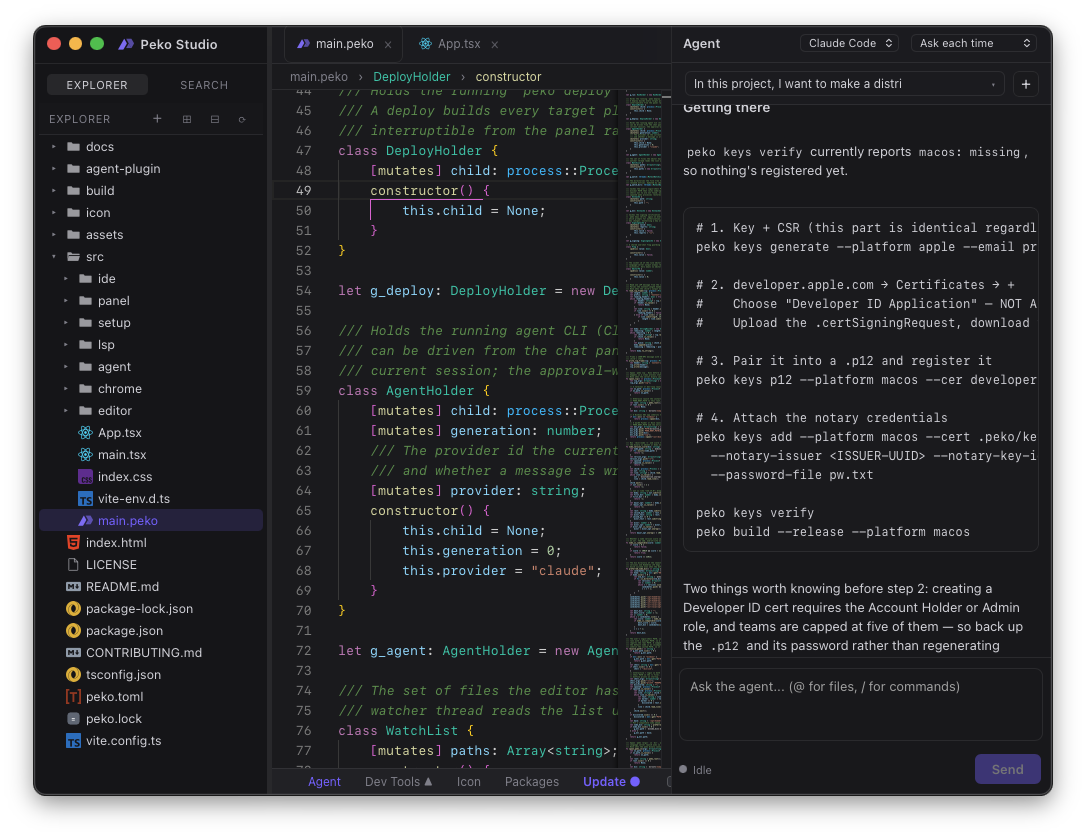
Replies stream token by token. Tool calls and file edits surface as permission prompts you approve in the panel. Nothing touches your project unasked.
// built with peko
Studio is a Peko app.
Studio's interface is React, served into a native shell through the same webview bridge your app will use, reaching storage and assets through the same capabilities. It was bundled, signed, and shipped by the toolchain it ships.
The IDE you download is the proof that the pipeline works. If Peko could not build a real desktop application, you would not be able to install this one.
[project]
name = "Peko Studio"
bundle = "dev.pekodev.studio"
target_platforms = ["macos", "windows", "linux"]

[ui]
framework = "static"

[capabilities]
uses = ["storage", "assets", "menu"]
// get started
Don't port it. Peko it.
The app you already built is the app you ship. Open it in Studio and walk out with a signed native binary for every platform you care about.